Pocket FM is free to install, but all episodes are not fully free. After some free episodes, many stories need coins to unlock the next episode. This is where many users start checking Pocket FM coins price and bonus offers.
If you listen only one or two episodes sometimes, coins may not look costly. But if you are listening long stories like Insta Millionaire, My Vampire System, Saving Nora, or any big audio series, coins can finish very fast.
So, before buying coins, you should understand how coin packs work, how bonus coins work, and which offer gives better value. Because sometimes a small pack looks cheap, but bigger pack gives more bonus. Sometimes promo code or partner offer gives better value than normal recharge.
In this guide, I will explain Pocket FM coins price, coin packs, bonus offers, and simple saving tips in easy way.
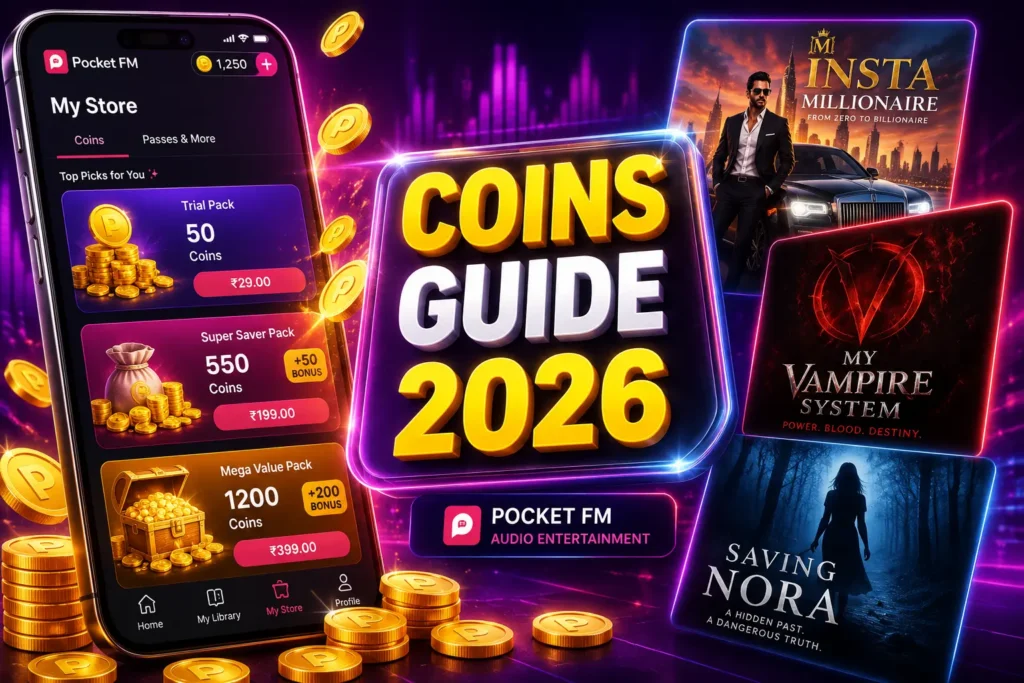
What Are Pocket FM Coins?
Pocket FM coins are used to unlock locked episodes inside the app. You can think of coins like a small wallet inside Pocket FM. When an episode is locked, the app may ask for coins. If you have enough coins, you can unlock and listen. If you don’t have coins, you may need to buy coin pack, watch ads if available, or wait for free unlock option.
Coins are mostly useful for users who listen daily. Because once you start a long story, you may not want to stop in middle. So, coins help you continue the story without waiting.
Where Can You Buy Pocket FM Coins?
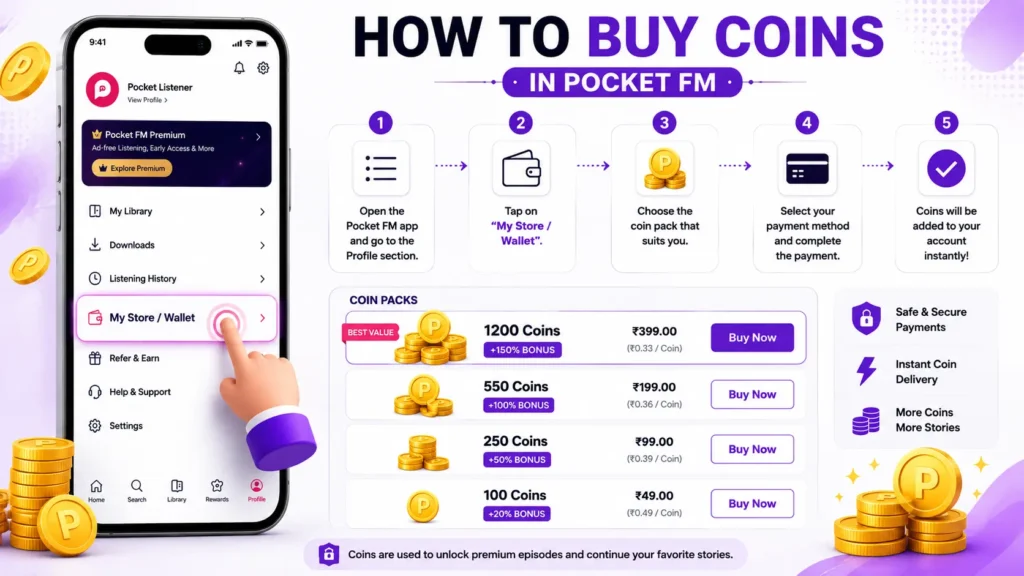
You can buy Pocket FM coins from the My Store section inside the Pocket FM app or website. The price can change based on your country, account, offer, and active campaign. So, don’t fully depend on old screenshots or old blog posts for exact price. Android users can install or update the Pocket FM app on Google Play before checking the latest coin packs in My Store.
To check coin price:
- Open Pocket FM app
- Login with your mobile number
- Go to My Store
- Check available coin packs
- Compare coins, bonus coins, and price
- Choose the pack that gives better value
This is the safest way to know the latest price.
Pocket FM Coins Price 2026
Pocket FM coins price is not fixed for every user. Some users may see Indian rupee price. Some users may see dollar price. Some users may get special bonus offer. So, exact pricing may be different. But mostly, Pocket FM shows different coin packs like small pack, medium pack, and large pack. Some packs may include bonus coins. Some may include no-ads benefit for limited time. Before buying, check the full value. Don’t only see the price. See how many coins you get and how many bonus coins are added.
Simple Coin Pack Comparison Table
Use this type of table to compare your own app offers.
| Pack Type | What to Check | Best For |
|---|---|---|
| Small Coin Pack | Low price, fewer coins | New or light users |
| Medium Coin Pack | Better coins and sometimes bonus | Regular listeners |
| Large Coin Pack | More coins and higher bonus | Daily story listeners |
| Bonus Pack | Extra coins with purchase | Users who want better value |
| No-Ads + Coins Pack | Coins with ad-free benefit | Heavy listeners |
Don’t buy only because the pack says “limited offer”. First check whether you really need that much coins.
What Are Bonus Coins?
Bonus coins are extra coins added with a coin pack. For example, if you buy one pack, Pocket FM may give extra coins as bonus. This reduces your final cost. Bonus coins are useful if you listen often. But if you listen rarely, don’t buy a big pack just because bonus is high. Because coins are useful only when you are going to unlock episodes. If you are not listening daily, a small pack or free unlock method may be better.
Are Bonus Coins Free?
Bonus coins feel like free coins, but usually they come with a paid pack. So, they are not fully free like watch ads or daily reward. Still, bonus coins can save money. Because you get more coins for the same purchase.
Before buying, check:
- How many paid coins?
- How many bonus coins?
- Is there any expiry?
- Is offer available for your account?
- Is payment method required?
- Is it one-time offer?
This helps you avoid confusion later.
Pocket FM Coins Price for Existing Users
Existing users may see different offers than new users. Sometimes new users get welcome offers, but existing users get bonus coin packs or comeback offers. If you are an existing user, check My Store often. Don’t think only new users get offers. Pocket FM may show selected offers based on your listening activity.
Existing users can check:
- Bonus coin packs
- Bank offers
- Wallet offers
- App notification offers
- Promo codes
- Free unlocks
- Watch ads option
Pocket FM Coins Price for New Users
New users usually get better first-time offers. If you are new to Pocket FM, don’t buy coins immediately after installing.
First open My Store and check all available offers. Some users may see first purchase bonus, free trial, or extra coins. Also check if there is any promo code box. New user offers may not come back after some time. So, check carefully before closing the offer screen.
How Many Coins Needed to Unlock One Episode?
The number of coins needed for one episode can change by story and episode. Some episodes may need only few coins. Some may need more. Long and popular series may use more coins because they have many locked episodes. So, if you are listening a big story, always keep track of coins before unlocking too many episodes. A good habit is to unlock only the next episode you want to hear. Don’t unlock many episodes in advance unless you are sure.
How to Compare Pocket FM Coin Packs
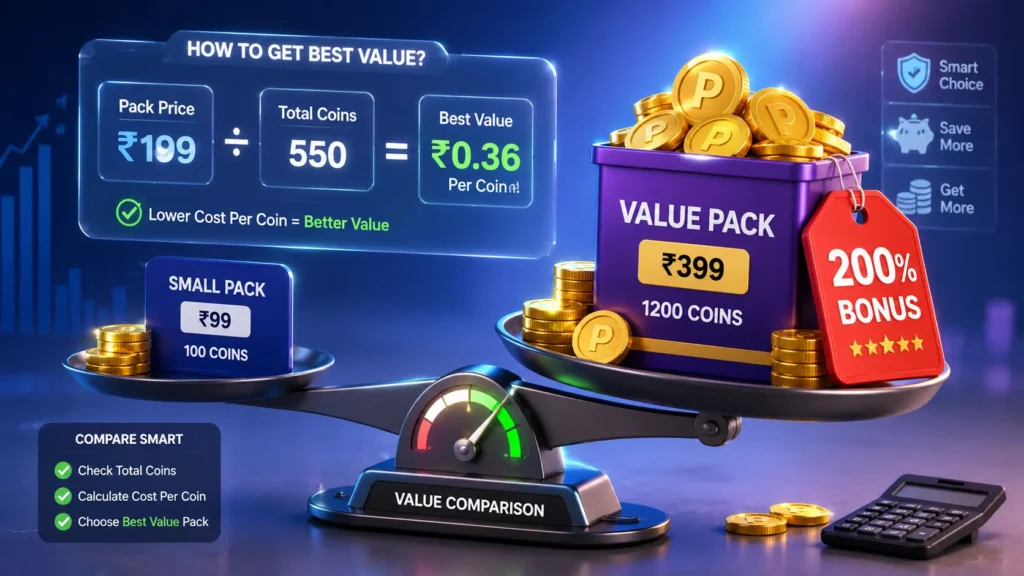
Many users buy coins quickly without checking value. That is a mistake. You should compare price and total coins first.
Use this simple method:
Total Coins = Paid Coins + Bonus Coins
After that, check:
Cost Per Coin = Pack Price ÷ Total Coins
The lower cost per coin means better value.
For example, if one pack gives 100 coins and another pack gives 300 coins with bonus, the bigger pack may be cheaper per coin. But if you don’t listen daily, small pack may be enough.
Pocket FM Coin Packs vs Promo Codes
Coin packs are direct purchase. Promo codes may give discount, bonus coins, or free coins. Both are useful, but they work differently.
| Option | What It Gives | Best Time to Use |
| Coin Pack | Coins for unlocking episodes | When you need coins now |
| Bonus Coin Pack | Coins + extra bonus | When you listen daily |
| Promo Code | Discount or free/bonus coins | Before buying any pack |
| Partner Offer | Reward from Flipkart/bank/wallet | During active campaigns |
| Watch Ads | Free episode unlock | When you don’t want to spend |
Before buying a pack, always check promo code and partner offers first. It takes only few minutes but can save money.
Pocket FM Promo Code for Coins
Pocket FM promo codes can sometimes reduce the price or give bonus coins. But all codes will not work for everyone.
Some codes are only for new users. Some are for existing users. Some are bank based. Some are country based. So, if one code is not working, check the reason before trying another code.
Pocket FM Free Coins Before Buying
Before buying coins, try free methods also. This is useful if you only need to unlock one or two episodes.
Try these:
- Watch video to unlock episode
- Wait for free episode unlock
- Check daily rewards
- Complete tasks if available
- Use Flipkart SuperCoin offer
- Try active promo code
- Listen to free episodes If none of these options are available, then buying a small coin pack is okay.
You can also read: How to get Pocket FM free coins daily
Best Way to Save Money on Pocket FM Coins
The best way is not always buying the cheapest pack. The best way is buying only what you need.
If you listen daily, choose a pack with better bonus. If you listen weekly, choose small pack or wait for free unlock. If you are new user, check welcome offer first. Also, don’t buy when you are in hurry. Check all packs and compare total coins. Sometimes one pack gives more value than another pack.
Check Cost Per Coin Before Buying
This is a simple trick, but very useful.
Example:
If a pack price is ₹100 and total coins are 200, then cost per coin is:
₹100 ÷ 200 = ₹0.50 per coin If another pack gives lower cost per coin, that pack is better value. You don’t need calculator always. Just compare total coins and price. Bigger bonus usually means better value, but only if you actually use the coins.
Pocket FM Coins and No-Ads Offers
Sometimes Pocket FM may show coin packs with no-ads benefit. This is useful for users who listen many episodes daily.
But check what the offer includes. Is it only coins? Is it coins plus no ads? Is no-ads only for few days or months?
Read the offer details before buying. Don’t assume all packs include no-ads.
Do Pocket FM Coins Expire?
Pocket FM may mention coin validity inside the store or terms. So, always check your app offer before buying. If your account says coins do not expire, that is good. But still, read the pack details once.
Bonus coins and promotional rewards may sometimes have different rules. So, check the condition before purchase or redeem.
What Happens If Coins Are Not Added?
Sometimes payment completes, but coins may take some time to show. Don’t panic immediately.
Do this:
- Wait for few minutes
- Restart the Pocket FM app
- Check coin wallet again
- Check payment success message
- Keep transaction ID ready
- Contact Pocket FM support if coins are still not added Don’t try payment again immediately if money already deducted.
Pocket FM Payment Safety Tips
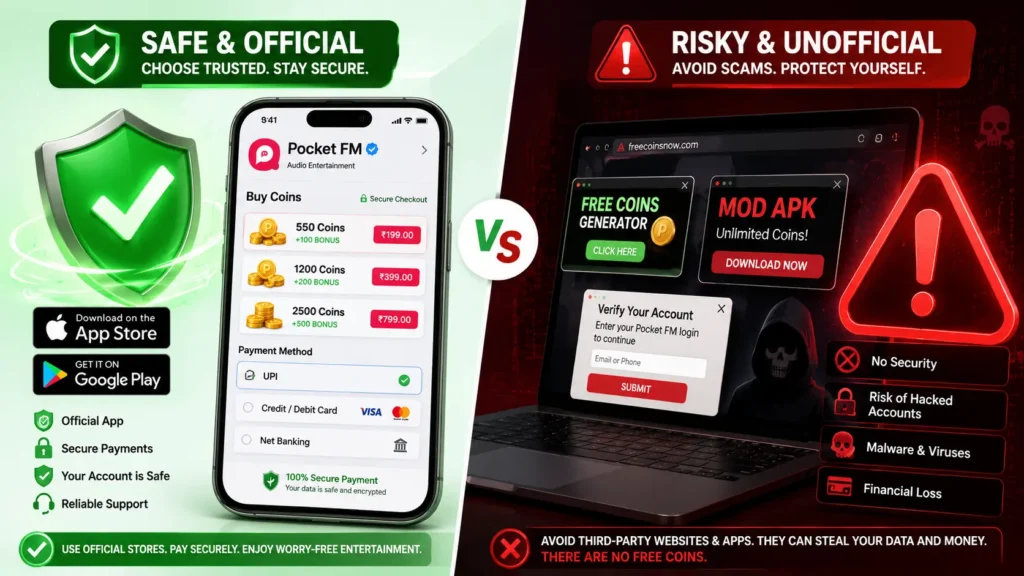
Use only official Pocket FM app or official website to buy coins. Don’t buy coins from Telegram sellers, WhatsApp sellers, or random websites.
Avoid pages that say:
- Unlimited Pocket FM coins
- Coin generator
- Mod APK coins
- Cheap coins seller
- Free coins after OTP
These are not safe. Your account and phone safety is more important than saving small amount.
Should You Buy Pocket FM Coins or Wait?
This depends on your listening habit. If you are following one story daily and don’t want to wait, buying coins with bonus pack can be useful. If you listen only sometimes, wait for free unlock or watch ads. If you are not sure about a story, listen free episodes first. Don’t spend coins too early.
Simple rule: Buy coins only when you really want to continue that story.
Best Time to Buy Pocket FM Coins
The best time to buy coins is when you see bonus offer, festival offer, new user offer, or payment partner offer.
Avoid buying when there is no bonus and no discount, unless you need coins urgently.
Also, check app notifications. Sometimes offers come for limited time and disappear later.
Pocket FM Coins for Popular Stories
Popular stories usually have many episodes, so coins are useful there.
Coins can help unlock episodes from stories like:
- Insta Millionaire
- My Vampire System
- Saving Nora
- Romance and drama stories
- Fantasy stories
- Thriller stories
You don’t need story-specific coins. Normal Pocket FM coins are usually used inside the app for locked episodes.
Pocket FM Coin Pack Not Showing
Sometimes coin pack or My Store may not load properly. This can happen because of app issue, internet problem, or account restriction.
Try these:
- Update Pocket FM app
- Clear cache
- Change internet connection
- Restart phone
- Login again
- Try after some time
If still not showing, contact support.
Final Words
Pocket FM coins price can change by user, country, offer, and app campaign. So, always check your My Store before buying. The main thing is, don’t buy coins blindly. Compare total coins, bonus coins, price, and payment offer. Also try free methods like watch ads, daily unlock, promo codes, and partner offers before purchasing.
If you listen daily, bonus coin pack may be better. If you listen only sometimes, free unlock and small packs may be enough.
For latest promo code updates, check: Pocket FM Promo Code Today June 2026
FAQs
What is Pocket FM coins price?
Pocket FM coins price can change based on country, account, app version, and active offer. Check My Store inside the Pocket FM app for the latest price.
How do I buy Pocket FM coins?
Open Pocket FM app, go to My Store, choose a coin pack, complete payment, and coins will be added to your account.
Can I get Pocket FM coins free?
Yes, some users may get free coins or free unlocks through watch ads, tasks, daily rewards, promo codes, and partner offers.
Are Pocket FM bonus coins useful?
Yes, bonus coins are useful for daily listeners because they give more coins with a purchase. But buy only if you really need coins.
Do Pocket FM coins expire?
Check the coin details in your Pocket FM account. Some store pages may mention coin validity, but promotional rewards can have different conditions.
Why are Pocket FM coin prices different?
Prices can differ based on country, user account, app store, payment method, and active campaign offers.
Can I use Pocket FM promo code before buying coins?
Yes, if promo code option is available, try a valid promo code before buying. It may give discount or bonus coins.
What should I do if coins are not added after payment?
Wait few minutes, restart the app, check payment status, keep transaction ID, and contact Pocket FM support if coins are still missing.