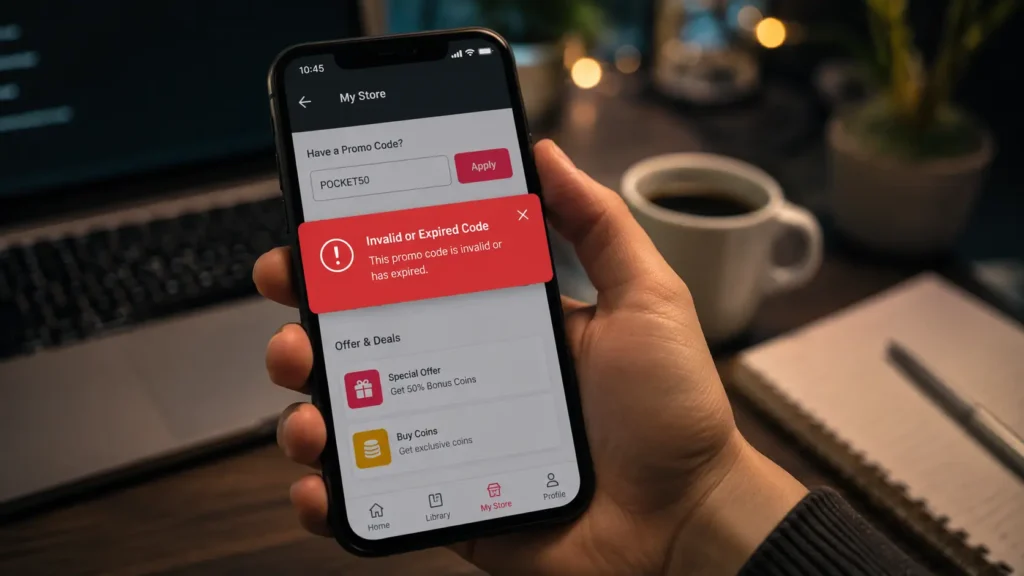
You found a Pocket FM promo code, copied it, opened the app, entered the code, and then it shows invalid code or expired promo code. Very irritating, right?
This happens to many Pocket FM users. Because promo codes are not like normal public passwords where everyone can use the same code. Many Pocket FM codes have small conditions behind them. Some are only for new users. Some are only for existing users. Some are only for bank offers. Some work only in India. Some codes are already used by someone else.
So, if your Pocket FM promo code not working, don’t think immediately that the code is fake. First, check the real reason. In this guide, I will explain the common problems and simple fixes one by one.
Why Pocket FM Code Fails?
Most Pocket FM promo codes fail because of these reasons:
- Code expired
- Code already used
- Code is only for new users
- Code is only for selected existing users
- Code is country restricted
- Code is bank or payment method based
- App is outdated
- Wrong typing or extra space
- Offer is not active for your account
- Network or server issue
What Does “Invalid Promo Code” Mean in Pocket FM?
When Pocket FM shows invalid promo code, it can mean different things. It does not always mean the code is fake.
Sometimes the code is correct, but your account is not eligible. Sometimes the code expired. Sometimes it was typed wrongly. Sometimes the code is already used.
So, before trying 20 random codes, check the code condition first. It will save your time.
Pocket FM Promo Code Error Meaning
Here is a simple table to understand the common message.
| Error Message | What It May Mean | What You Can Do |
|---|---|---|
| Invalid Code | Wrong code, expired code, or not eligible | Copy paste correctly and try latest code |
| Expired Code | Offer date is over | Use newly updated promo code |
| Already Redeemed | You used this code before | Try another code |
| Not Eligible | Code is not for your account | Check new user/existing user rule |
| Payment Offer Not Applied | Wrong payment method | Use correct bank card or wallet |
| Something Went Wrong | App or internet issue | Try after some time |
This table is useful because many users see one message and get confused. But each message has different reason.
1. The Promo Code May Be Expired
This is the biggest reason. Pocket FM promo codes usually work only for limited time. Some codes are active for a festival sale. Some codes are active for app campaign. Some codes are shared by partner apps, and those can expire very fast.
If you got a code from old YouTube video, old Reddit comment, Telegram group, or old blog post, it may not work now.
Fix
Use only recently updated codes. Also check the date of the post where you found the code. If the page is old and not updated, don’t waste time with those codes.
You can also check our main updated post:
Internal Link: Pocket FM promo code today
2. The Code Was Already Used
Some promo codes are one-time use. This is very common with Flipkart SuperCoin codes, bank offer codes, and partner reward codes.
If someone posted their code publicly, maybe another person already used it. After that, the same code will not work again.
Fix
Try to claim your own code from the original offer source. For example, if it is Flipkart offer, open your own Flipkart app and claim the code from your SuperCoin Zone.
Don’t depend only on copied codes from comments.
3. New User Code Used by Existing User
Many Pocket FM offers are made for new users. If you already created Pocket FM account earlier, that code may not work for you.
New user offers are mostly welcome offers. So, old users may see invalid or not eligible message.
Fix
If you are existing user, don’t search only “new user promo code”. Search for existing user offers, free coins, bonus coin packs, bank offers, and Flipkart rewards.
You can also check this guide:
Internal Link: How to get Pocket FM free coins daily
4. Existing User Code Used by New User
Sometimes offer is only for old users or selected users. This also happens. Apps sometimes give comeback offers to users who did not use the app for some days. Some offers are given to users who listen daily.
So, a new account may not get that offer.
Fix
Open your Pocket FM app and check My Store. If the offer is not shown in your account, that code may not be active for you.
Account-based offers are not always visible to everyone.
5. Country Restriction Problem
Pocket FM offers are not same in all countries. India promo codes may not work in USA, France, UK, Canada, or other countries.
For example, bank codes like Kotak or IndusInd type offers are mostly useful for Indian users. If you are outside India, those codes may show invalid.
Fix
Use country-related codes. If you are in France, check France-based offer terms. If you are in USA, check website offers, app store offers, or in-app offers.
Don’t force Indian bank codes if you are not using that payment method.
6. Bank Offer Code Needs Correct Payment Method
Some Pocket FM promo codes work only when you use a specific bank card, UPI, wallet, or payment option.
Example, if a code is for Kotak users, it may need Kotak card or eligible payment option. If you enter that code but pay using another bank, offer may not apply.
Fix
Read offer terms before trying. Check these things:
- Which bank is required?
- Is debit card or credit card needed?
- Is minimum purchase needed?
- Is the offer for coins or subscription?
- Is it only for selected users?
If you don’t have that payment method, try general codes instead.
7. You Entered the Code Wrongly
This looks simple, but it happens often. Promo codes can be case sensitive. Also, some letters and numbers look similar.
For example:
- O and 0 look similar
- I and 1 look similar
- S and 5 look similar
- Extra space at end can create error
If even one character is wrong, code may fail.
Fix
Copy and paste the code. After pasting, check if any blank space is added before or after the code. Remove it and redeem again.
Don’t type long codes manually.
8. Your Pocket FM App Is Old
If your Pocket FM app is outdated, the promo code box may not work properly. Sometimes My Store page, payment page, or reward section changes after app update.
So, old app version can create redeem problem.
Fix
Update Pocket FM from Play Store or App Store. After update, close the app fully and open again. Then try redeeming the code.
If still not working, restart your phone once.
9. Promo Code Option Not Showing in My Store
Some users say they cannot find “Have a Promo Code?” option. This can happen because Pocket FM changes app layout sometimes.
Also, the promo code option may not show for every user, every country, or every app version.
Fix
Try these steps:
- Update Pocket FM app
- Open My Store
- Scroll fully down
- Check payment page
- Check profile or rewards section
- Clear app cache
- Login again
If the option still does not show, your account may not have promo code option right now. You can still use watch ads, bonus offers, or free unlocks.
10. The Offer Is Account-Based
This is one thing many users miss. Some Pocket FM codes are not public. They are account-based.
That means one user can redeem it, but another user cannot. Even if both use same app, same country, same code, result can be different.
Fix
Check your own app offers. If Pocket FM has selected your account for an offer, it may show inside My Store, notification, or payment page.
If not showing, that code may not work for your account.
11. Internet or Server Problem
Sometimes the code is okay, but app has network issue. Maybe internet is slow. Maybe app server is busy. Maybe payment page is not loading correctly.
This can happen during sale time or high traffic time.
Fix
Try these simple things:
- Switch mobile data to Wi-Fi
- Switch Wi-Fi to mobile data
- Close app and open again
- Try after 10 minutes
- Restart phone
- Clear app cache
If it is server issue, waiting is the only easy fix.
Correct Way to Redeem Pocket FM Promo Code
If you are not sure about the redeem steps, follow this simple method. Open Pocket FM app and login with your mobile number. Go to My Store section. Look for Have a Promo Code? option. Paste the code carefully. Check for extra space. Tap redeem or submit. If code is valid, reward will be added to your account. It can be free coins, bonus coins, discount, or other offer. If code is not valid, Pocket FM may show invalid, expired, or not eligible message.
Pocket FM Free Coins Code Not Working
Free coins code can fail very fast because many users try the same code. Some free coin codes have limited claims. Once the claim limit is over, code stops working.
Also, free coin codes are sometimes only for new users or selected users.
What to do?
Try other safe methods also:
- Watch ads to unlock episodes
- Check daily free unlock
- Complete free coin tasks
- Check My Store offers
- Use Flipkart SuperCoin offer
- Buy coin pack with bonus
Don’t depend only on one free coin code.
Pocket FM Flipkart Code Not Working
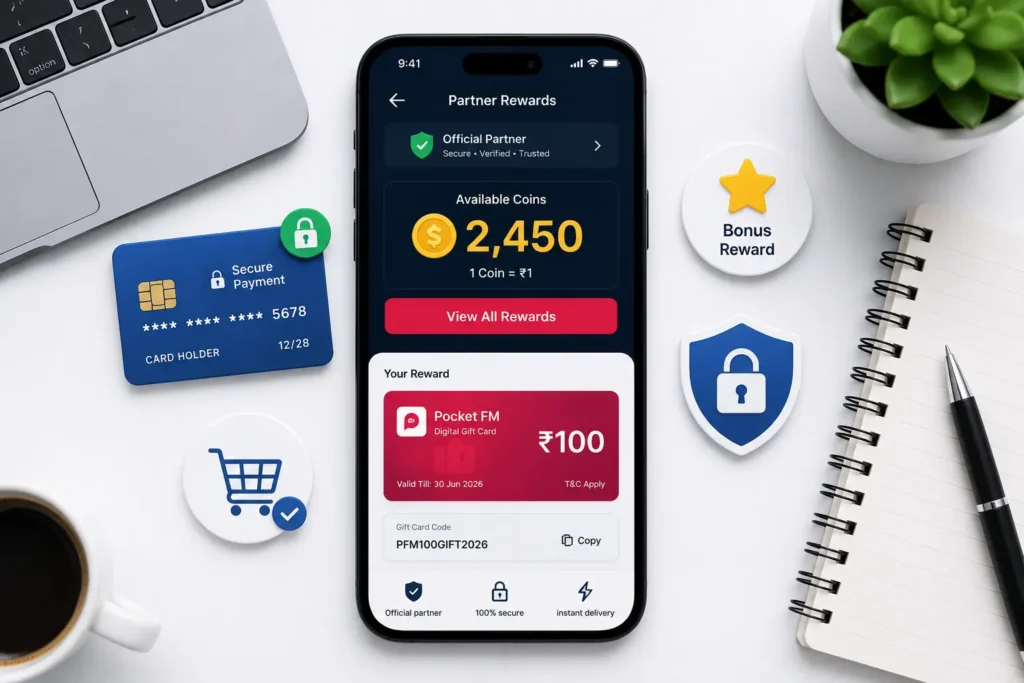
Flipkart Pocket FM code is usually a partner offer. It may be one-time use and account specific.
If you copied a Flipkart code from someone else, it may already be used. That is why it shows invalid.
Fix
Open your own Flipkart app. Go to SuperCoin Zone. Open Reward Store. Search Pocket FM. If offer is available, claim it from your account. Then copy the code and redeem it in Pocket FM. If Pocket FM offer is not visible in Flipkart, it means the offer is not active for your account right now.
Pocket FM Bank Code Not Working
Bank promo codes are not general public codes. If the code is connected with Kotak, IndusInd, or any other bank, it may need that bank’s card or eligible user account.
Fix
Check the payment method. Use the correct bank card or wallet. Also check minimum order value and expiry date.
If you don’t have that bank, then don’t waste time on that code. Try normal promo codes or My Store offers.
What to Do If No Pocket FM Code Works?
If no code works, don’t keep trying random codes for hours. Sometimes there is no active code for your account.
In that case, do this: First check My Store. Then check watch ad option. After that, check free unlock timer. Then check bonus coin packs. Also check app notification and Flipkart offer. Sometimes the best offer is not a promo code. It may be bonus coins or free episode unlock.
Safe Alternatives to Promo Codes
If promo codes fail, these methods are still safe:
- Watch video to unlock episode
- Wait for free episode unlock
- Complete app tasks
- Use daily rewards if available
- Check bonus coin packs
- Claim Flipkart or partner offers
- Use official payment offers
- Listen to free stories
These methods may not give huge coins, but they are safe and useful.
Don’t Use Pocket FM Mod APK or Coin Generator
Many websites say “Pocket FM unlimited coins”, “Pocket FM hack”, “Pocket FM mod APK”, or “free coin generator”. Be careful with these words.
Real promo codes give limited rewards. They do not give unlimited coins.
Fake websites may ask for your phone number, OTP, app login, or APK download. That can be risky for your account and mobile.
So, avoid these:
- Mod APK
- Coin generator
- Telegram coin seller
- Fake login page
- Unlimited coins website
- OTP sharing
Use only official app and safe offers.
Small Checklist Before Trying Any Code
Before using a Pocket FM code, check this small list:
Is the code latest? Is it for your country? Is it for new users or existing users? Is it bank-specific? Is your app updated? Did you copy it correctly? Is there extra space? Is the offer shown in your My Store?
If the answer is no for many points, that code may not work.
Best Tip for Regular Pocket FM Users
If you listen Pocket FM daily, don’t wait only for promo codes. Use a mix of methods.
Watch ads when available. Save coins for important episodes. Wait for free unlock if you are not in hurry. Check bonus packs before buying. Use promo codes only when they are active.
This method saves more money than blindly trying random codes.
When Should You Contact Pocket FM Support?
If you bought coins and did not receive them, or if your payment completed but episode not unlocked, then contact Pocket FM support. Before contacting, keep these details ready:
- Mobile number used in Pocket FM
- Payment screenshot
- Transaction ID
- Promo code used
- Date and time
- Error screenshot
This helps support team understand your issue faster. Don’t contact support only because a random internet code did not work. They may not help for unofficial codes. If your payment is completed but coins are not added, you can contact Pocket FM support through their official contact page.
Final Words
Pocket FM promo code not working is a normal issue. Most of the time, the code is expired, already used, not eligible, country restricted, or connected with selected payment method. So, don’t worry if one code fails. Try the fixes above and use safe alternatives like watch ads, free unlocks, Flipkart offers, bonus coin packs, and My Store rewards. Also, avoid unlimited coin tricks and mod APKs. That is not worth the risk. For latest updated codes, check our main guide: Pocket FM Promo Code Today June 2026
FAQs
Why is my Pocket FM promo code not working?
Your Pocket FM promo code may not work because it is expired, already used, not eligible for your account, country restricted, bank-specific, or entered wrongly.
What does invalid promo code mean in Pocket FM?
Invalid promo code means the code is not accepted. It may be wrong, expired, already used, or not available for your account.
How do I fix Pocket FM promo code error?
Update the app, copy the code correctly, remove extra spaces, check expiry, check country and user eligibility, and try again in My Store.
Can I use the same Pocket FM code twice?
Mostly no. Many promo codes are one-time use. Once you redeem it, you cannot use the same code again.
Why is my Flipkart Pocket FM code not working?
Flipkart code may be already used, expired, or not active for your Pocket FM account. Claim your own code from Flipkart SuperCoin Zone if available.
Can existing users use Pocket FM promo codes?
Yes, existing users can use selected promo codes, bank offers, partner codes, bonus packs, and app-based offers. But new user codes may not work for them.
Are Pocket FM unlimited coin codes real?
No, unlimited coin codes are not real. Avoid mod APK, coin generator, and fake websites. Use safe methods only.
What can I do if no Pocket FM promo code works?
Try watch ads, free episode unlocks, daily rewards, bonus coin packs, payment offers, and app notifications. Sometimes there is no active code for your account.
You can also check the Pocket FM episode unlock FAQ to understand how locked episodes, coins, and free unlock options work.